5.4: CAWI Survey feedback
| Summary | This article explains how to use the new Survey Feedback feature |
| Applies to | Askia Supervisor |
| Written for | Scriptwriters and survey authors |
| Keywords | survey feedback; scripting; cawi; 5.4; |
In 5.4.4, we have implemented the survey feedback option on web surveys. It allows a tester (or even a respondent) of a web interview to report various problems encountered during the progress of the interview.
This option is set on Task properties:
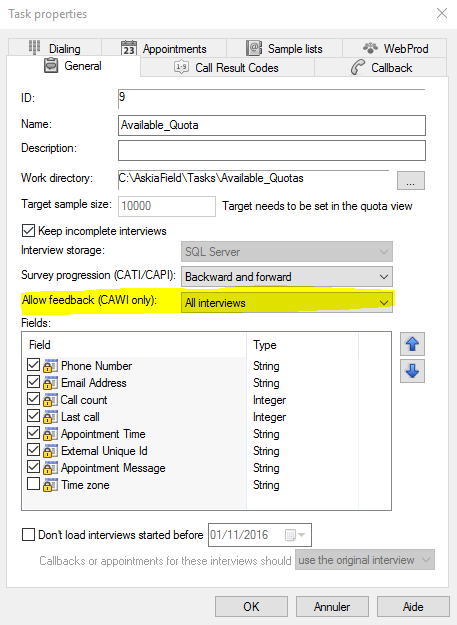
You have 3 choices:
- Never
- Only test interviews
- All interviews
This will activate/deactivate a new button, visible in the right bottom corner of web interviews, and present on all screens of the survey:

This button will show a popup where you can specify the type of feedback wanted:
- Typo
- Problem with layout
- Suggestion
- Other
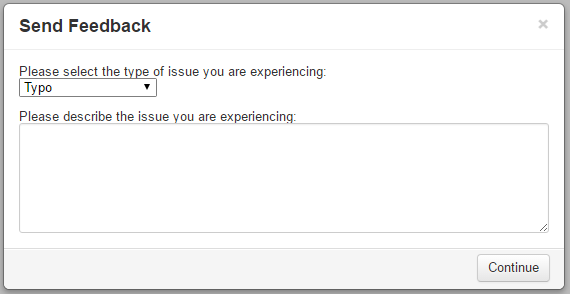
After choosing the type and a description (if needed) you continue to a new smaller window where you can highlight or blackout parts of the screen.
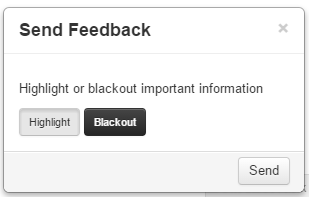
Highlight :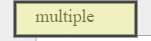
Blackout:
You can use both features on the same screen:
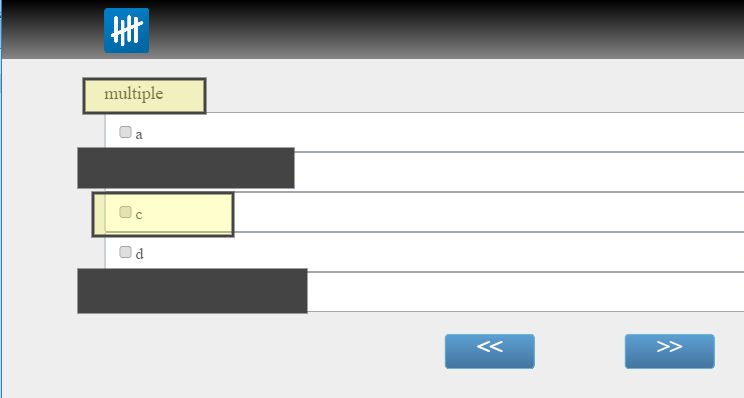
Once done, click on  and move to the next screen.
The feedback information will be stored on Statistics SQL database, in Statistic_SurveyFeedback table. The information will be available through a tool linked on API.